Fine-tuning🔗
ApherisFold allows you to fine-tune co-folding models on your proprietary structures through a simple user interface, all without your data leaving your IT environment. Future releases will expand support for scaling to larger GPU clusters, fine-tuning on affinity data, and more powerful analysis tools.
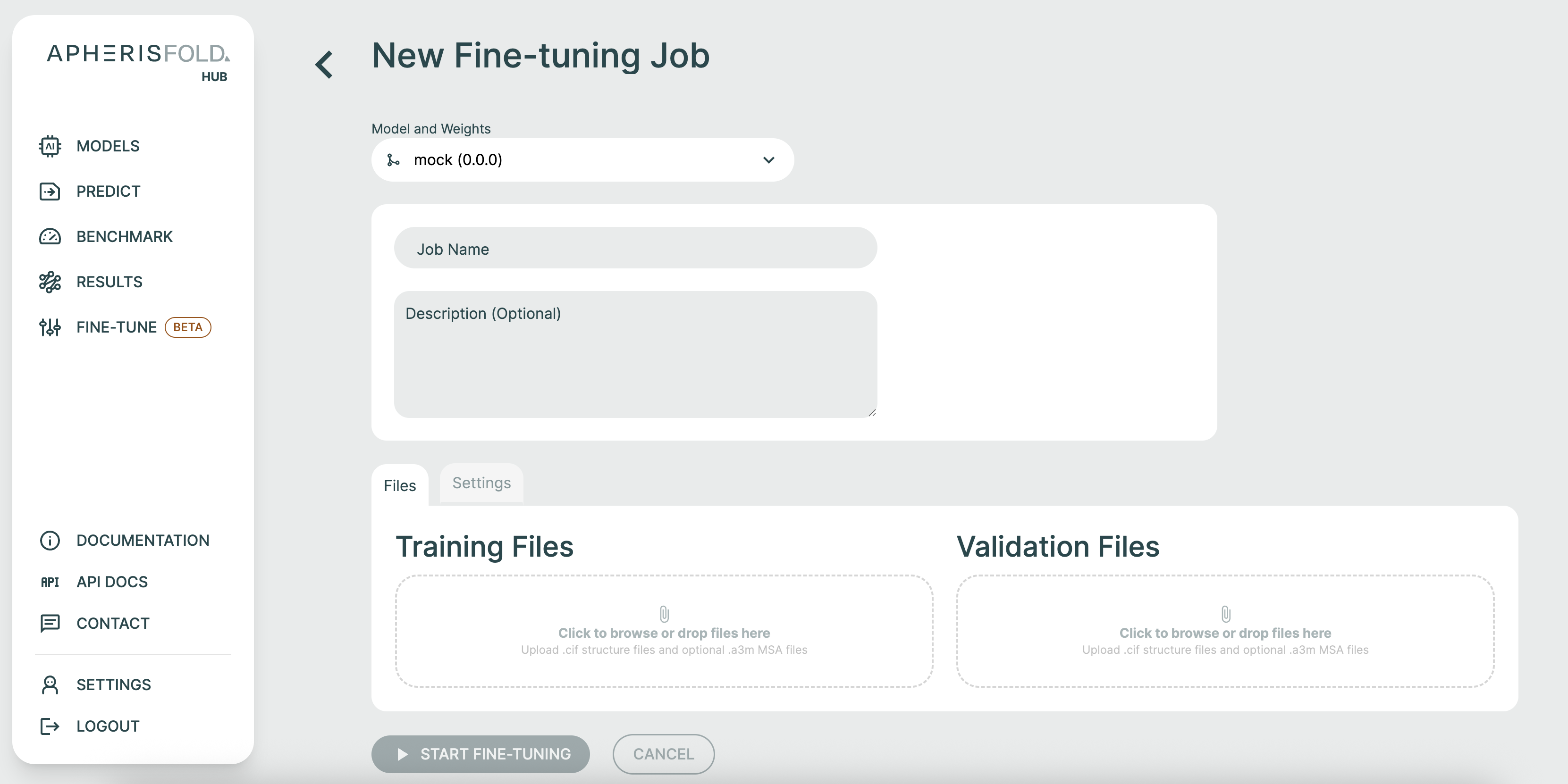
To start fine-tuning, simply navigate to the Fine-tune tab, and select "New Job".

At this point, you can configure your fine-tuning job. First, select the model you would like to fine-tune, name your run, and (optionally) give it a description. Drag-and-drop CIF files to define you training and validation sets.
If your CIF files contain ligand residues that are not defined in the publicly available CCD, you will be asked to upload SDF files to define these. Note that structures containing non-standard nucleotides are currently not supported.
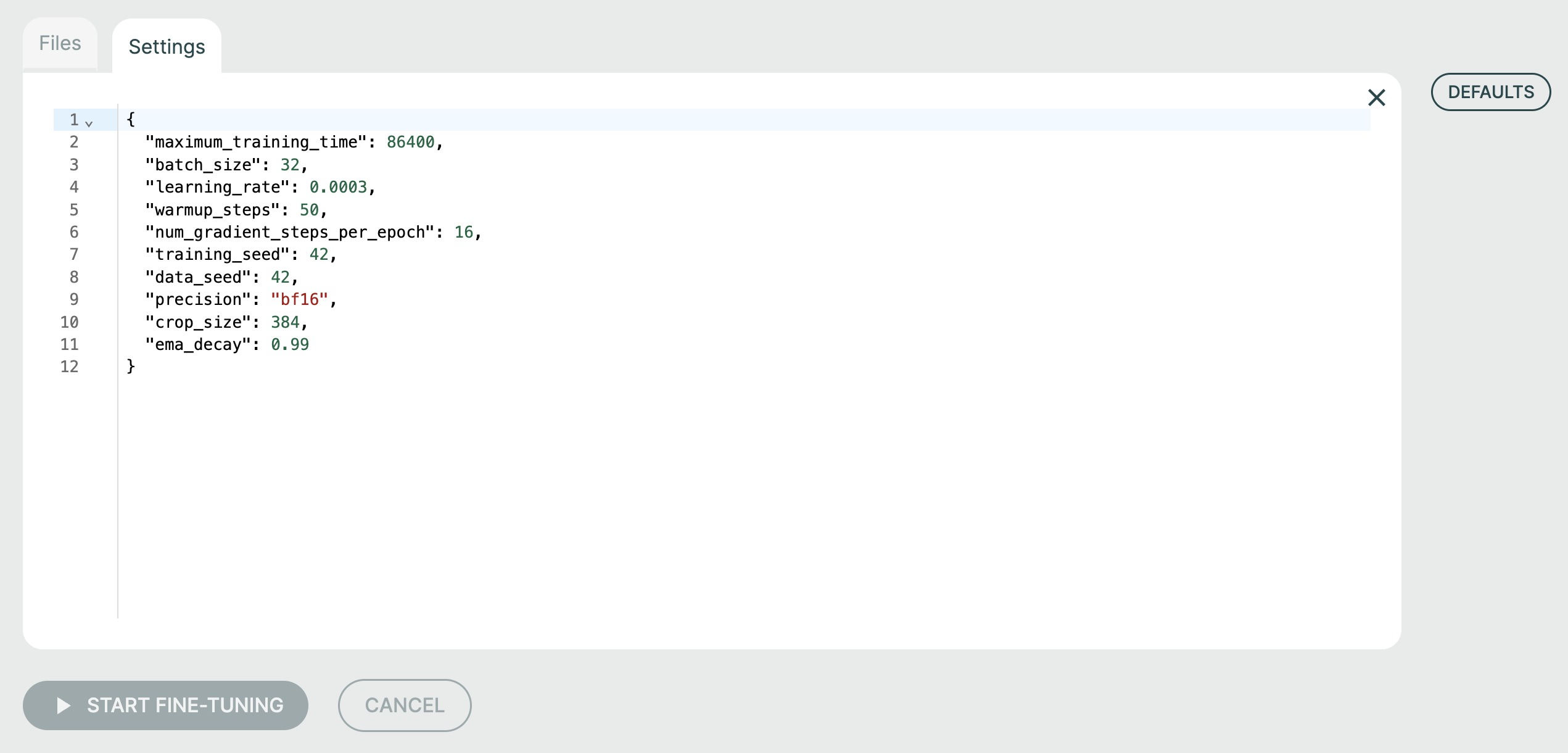
Under the "Settings" tab, you can change the fine-tuning hyperparameters:
maximum_training_timespecifies (in seconds) how long the fine-tuning job should run for.batch_sizecontrols the number of cropped structure samples over which gradients are aggregated prior to model weight updates. You can choose this number freely (there is no requirement for it to be equal or greater to the number of uploaded training structures). In general, a smaller value produces noisier gradients, which can help with overfitting but can also limit model convergence. It also interacts with the learning rate, with smaller batch sizes potentially requiring smaller learning rates to maintain stability.learning_rateis the learning rate. Higher values lead to faster model training, but potentially instability or lesser overall convergence.warmup_stepscontrol the speed with which the learning rate is scaled up at the start of training. Larger values result in longer but potentially more stable fine-tuning.num_gradient_steps_per_epochdetermines the frequency with which metrics and checkpoints are written to disk. A smaller value results in higher-resolution training curves, but slower training, since more time is taken up with generating predictions on the validation set. Disk space is also filled more quickly with small values.training_seedsets the model seed. Tweak this if you want to understand the variance of your fine-tuning experiments with respect to this seed. You may end up with quite different models!data_seedsets the seed of the dataloader. Modifying this generally has a significantly lower impact than changing thetraining_seed, but both are required to match for full reproducibility.precisionmay need to be modified for GPUs that do not supportbf16.crop_sizedetermines the number of tokens (amino acids, nucleic acids, ions, or small-molecule atoms) stochastically sampled from each training datapoint during each training forward pass. Larger values require more GPU memory, and smaller values may struggle to fit global conformational states. However, cropping acts as an important form of regularization and data augmentation, so in general this should be smaller than the combined sequence length of the protein chains in each datapoint. Note that no cropping is performed on the validation set, which means that a 40GB GPU can only support structures up to ~1700 tokens for validation.ema_decaycontrols the rate at which model weights lose their bias towards the base model weights. In general, fine-tuned model weights consist of roughlyema_decay^(num_gradient_steps_per_epoch * num_epochs)base model weights, so this is an important parameter to control overfitting when fine-tuning on small datasets. It may need to be tweaked such that by the time the model has meaningfully fit the training set, the exponential moving average as just the right amount of base model weights "mixed in" to the fine-tuned model weights to achieve the required specialization/generalization balance. Increase the value to retain more generalization.metric_to_monitorsets the metric used to determine best checkpoint ifsave_top_kis set. Selectlddt_intra_proteinif training on single-chain proteins,lddt_inter_protein_ligandfor protein-ligand complexes, orlddt_inter_protein_proteinfor protein interfaces.save_top_kspecifies the number of top checkpoints to save based on the monitored metric. Set to -1 to save all checkpoints. When saving all checkpoints, disc usage is proportional to training time, whereas with top k metric saving enabled it is constant and plateaus at ~15GB.
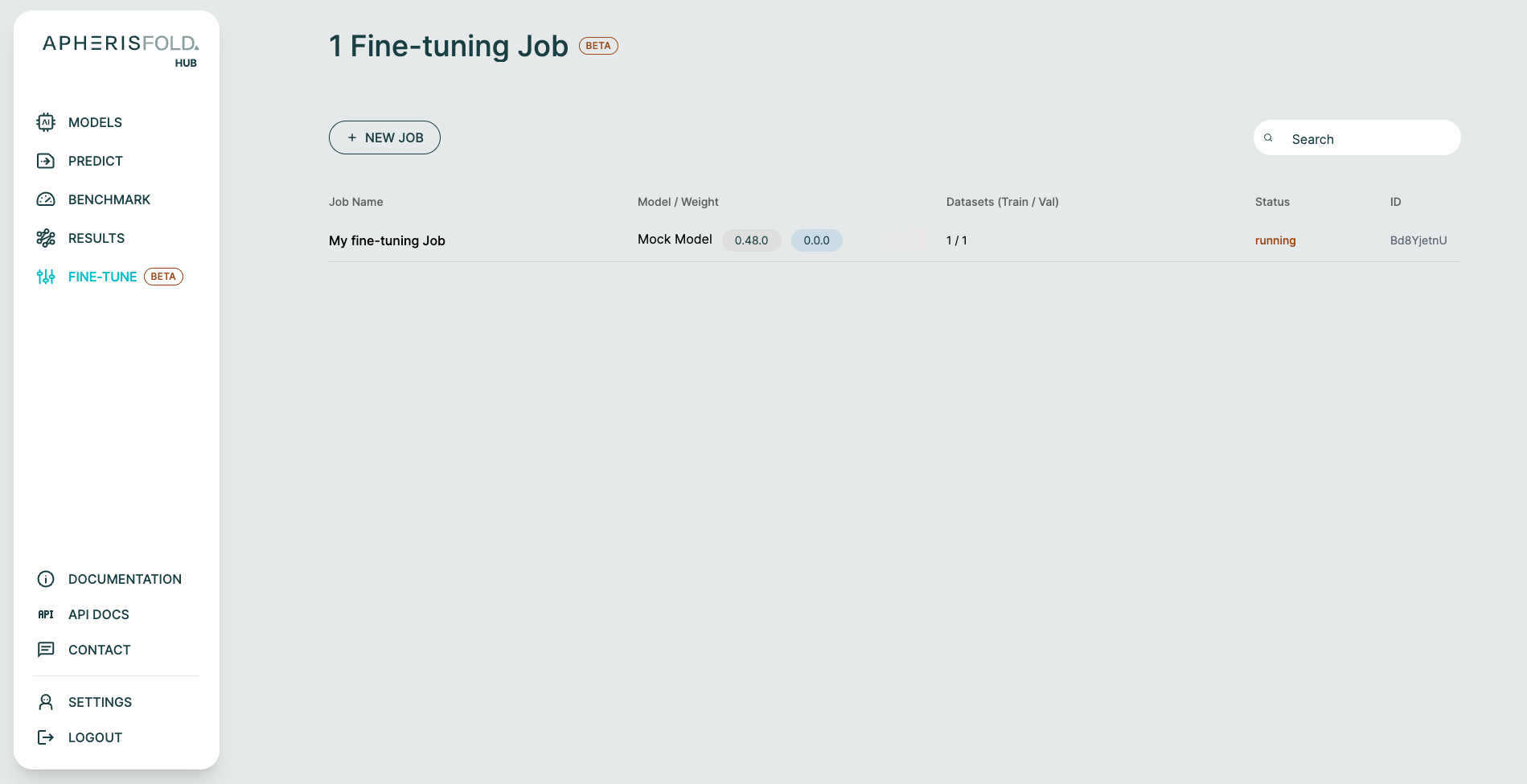
At this point, you can submit the fine-tuning job by clicking "Start Fine-Tuning". You will be returned to the fine-tuning landing page, which now shows an overview of ongoing fine-tuning jobs.
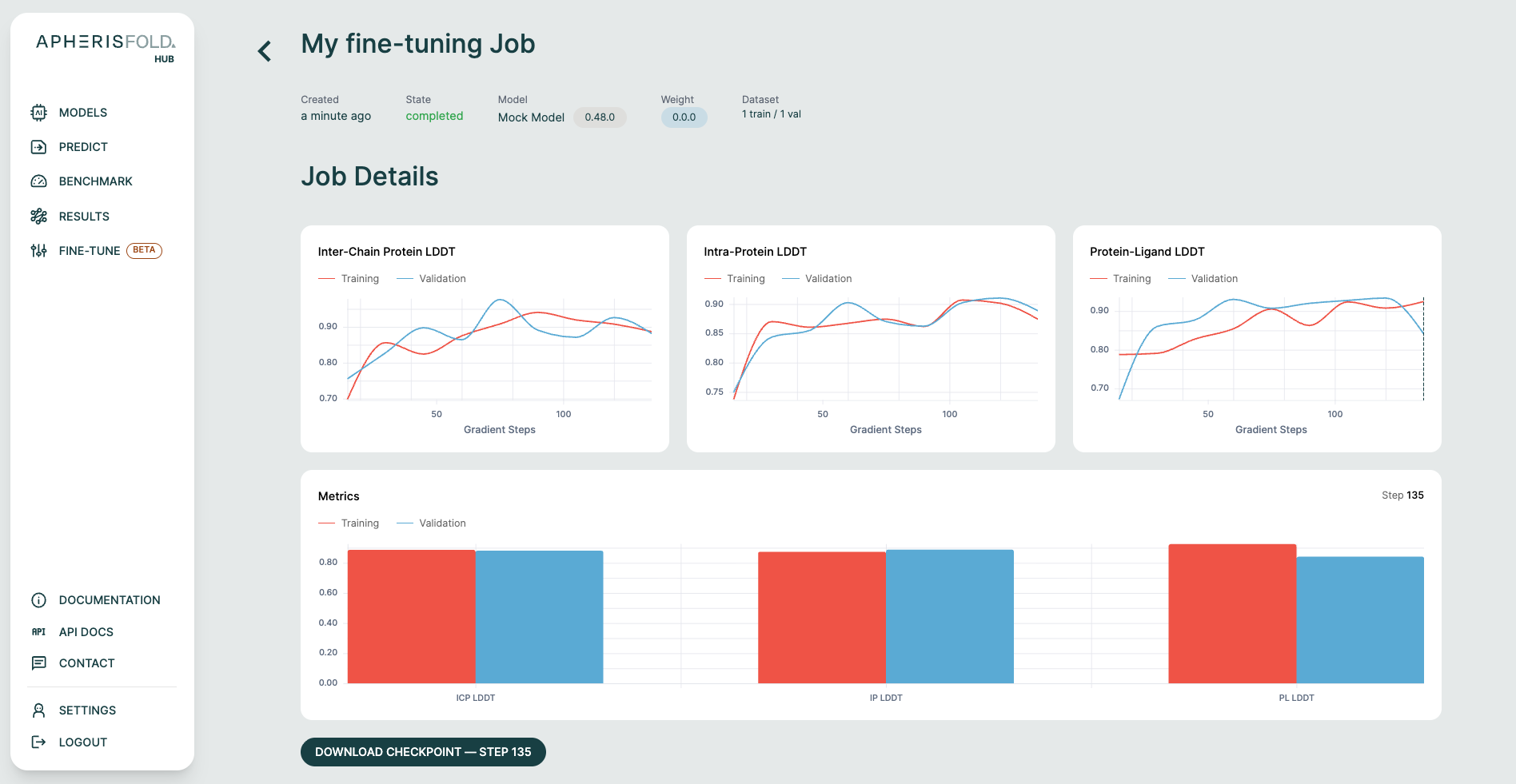
Once it completes, clicking on it will reveal a results page where you can inspect training/validation metric curves, and download selected checkpoints.
Continue Fine-tuning🔗
If it appears that further training would improve performance, you can continue fine tuning.
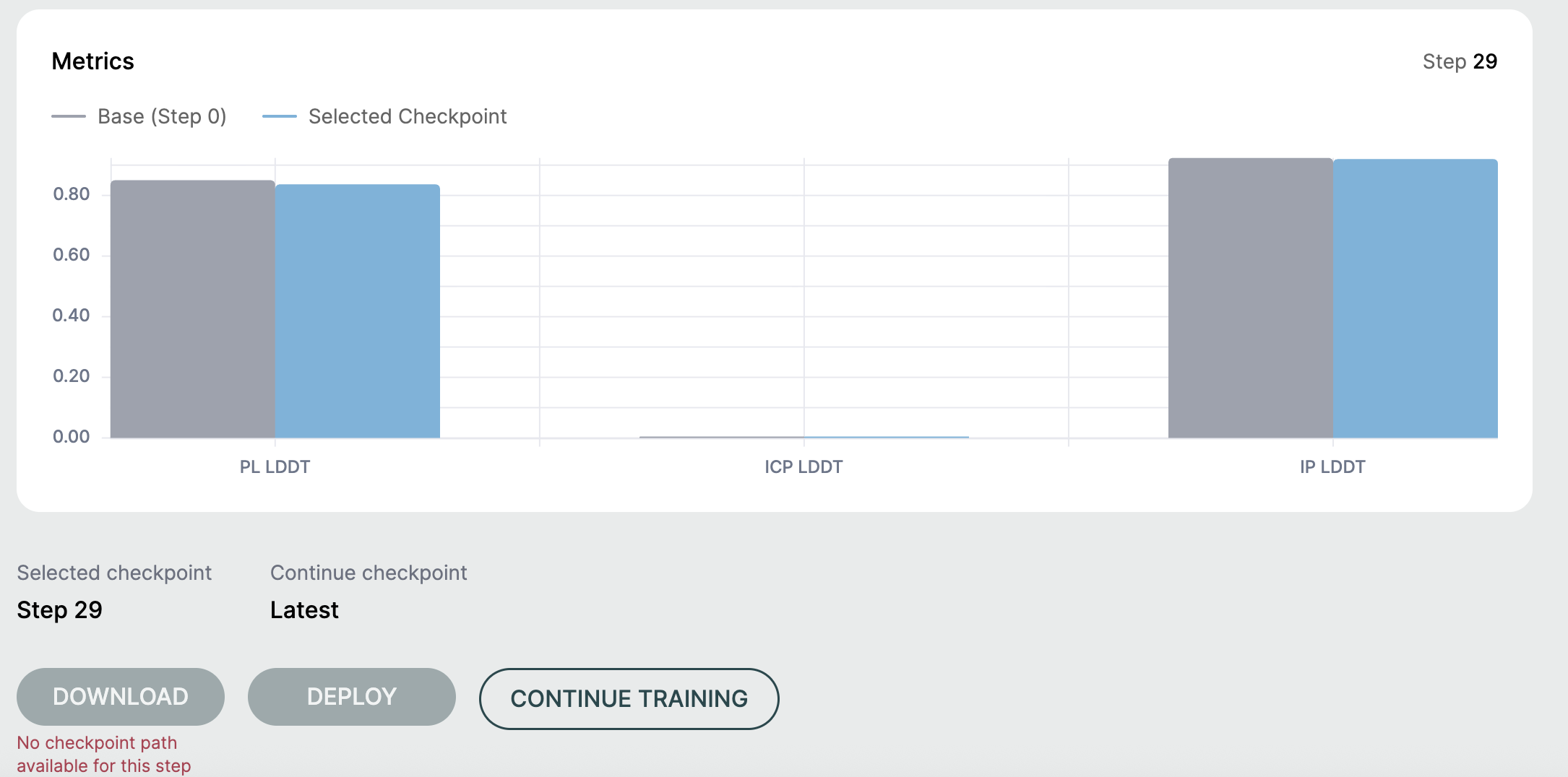
In the above example, fine-tuning did not run long enough to produce a checkpoint that could be deployed or downloaded. So, continuing training might be a good option.
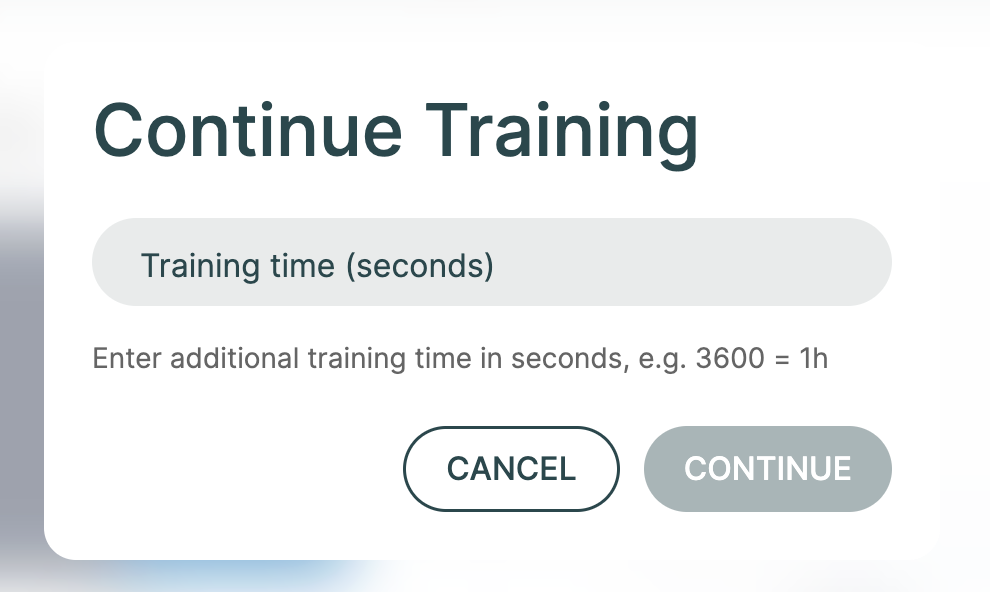
To resume training, click Continue Training and supply a duration in seconds.
Deploying Fine-Tuned Checkpoints🔗
Completed OpenFold3 fine-tuning runs can be deployed back into the Hub as custom weights for inference.
At the moment, these deployments are structure-only:
- The deployed checkpoint supports structure inference.
- Affinity prediction is not exposed for Hub-managed fine-tuned deployments yet.
- Even if the original base OpenFold3 weights support affinity, that capability is not carried over automatically to the deployed fine-tuned checkpoint.
If you need affinity prediction support today, continue using the original base weights or other weights that explicitly advertise affinity support.